An Introduction to VP and some recommendations. –
Visual Programming for design has been a part of my professional career since I first came across it more than ten years ago. I have used it on real projects and hobby projects. It has been a boost to my career and has given me many hours of joy, solving problems or being creative.
It is my opinion that even in the age of Generative AI and Vibe Coding, that these tools are still worth learning and mastering. This is because certain geometries are impossible to describe in a text prompt and some automation has too many cavets to be left to chance with Vibe Coding. It seems the makers of these tools think the same, as development of these is being heavily invested in and developed.
It is the point of this post to give you a quick introduction to what it is and the benefits of using these tools in the CAD Tech industry.
So what is it?
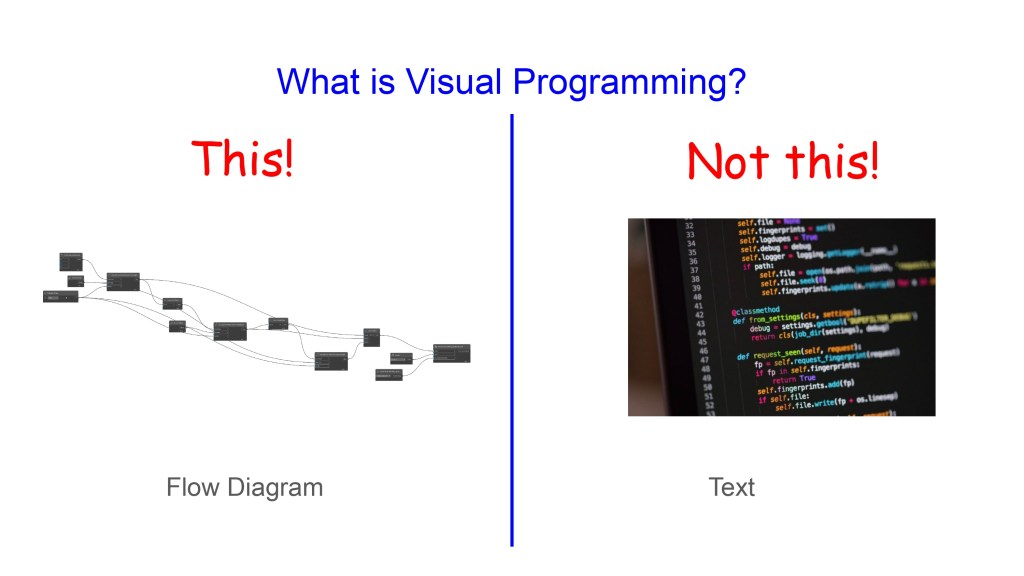
Visual Programming is a new way of interacting with or controlling CAD software. It is different to Text based programming in languages like Python and C(Sharp) because it is visual. This I believe makes it way more user friendly for CAD professionals and easier to learn.
What Can it do?
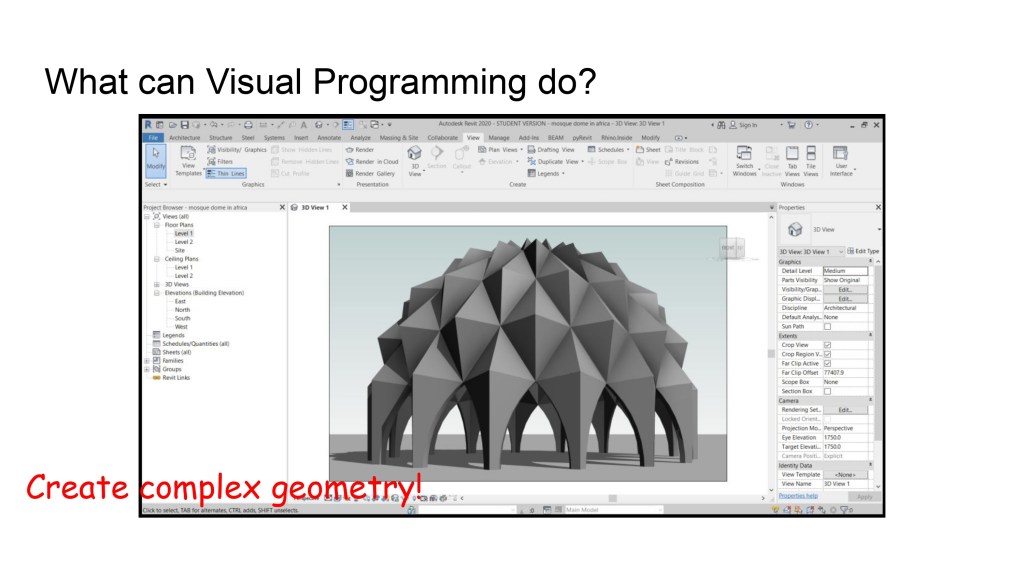
It can be used to create precise complex geometry. This allows you to create shapes, forms, patterns and configurations that would not be possible using the standard CAD software user interface.
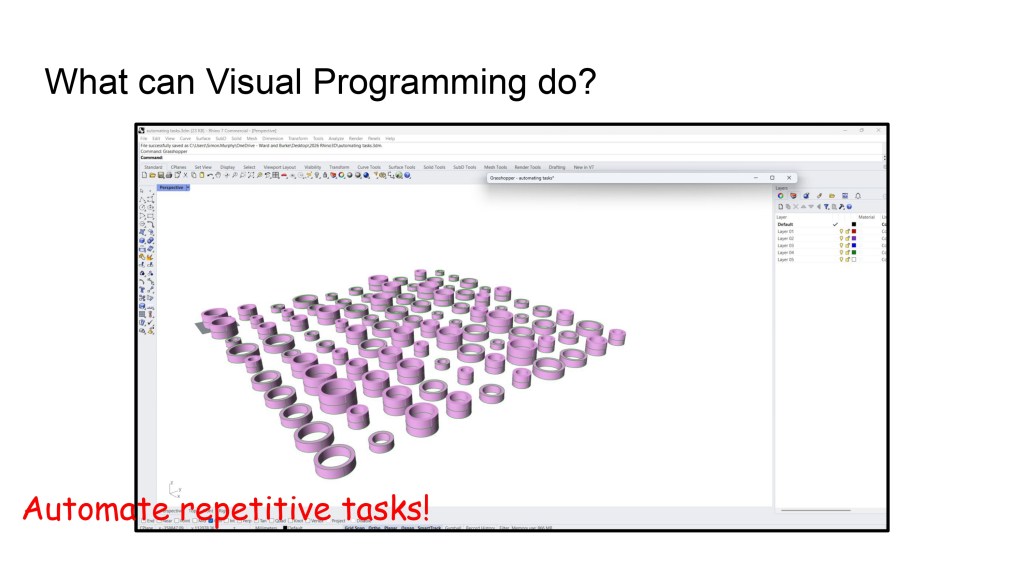
It can also be used for MicroAutomation, like creating all the different sizes of concrete shafts in ‘one go’ like in the image above. Modern CAD workflows often involve repetitive tasks which only differ very slightly. These sorts of tasks can be automated by using Visual Programming tools.
What does a Visual Programming script look like?
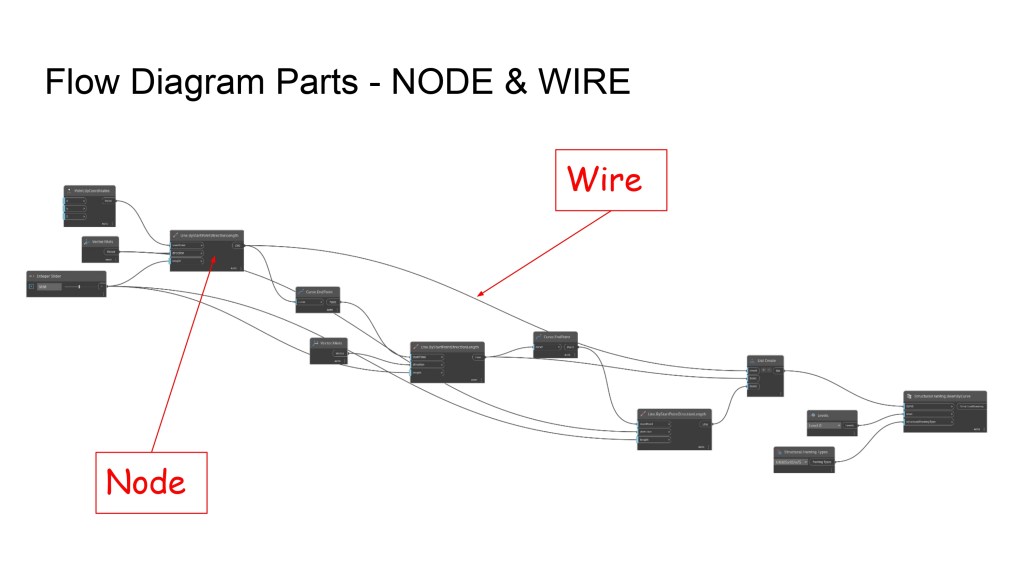
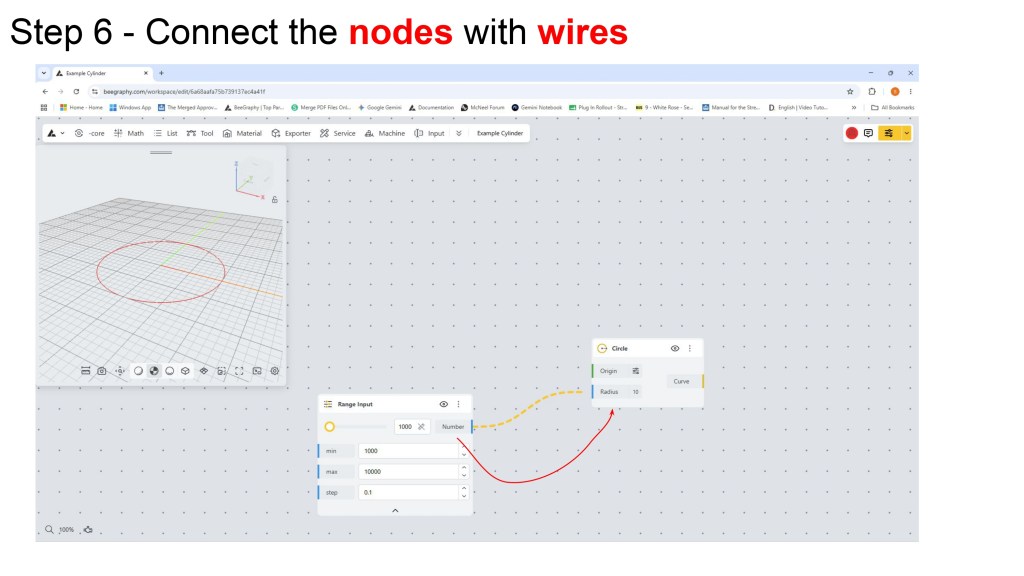
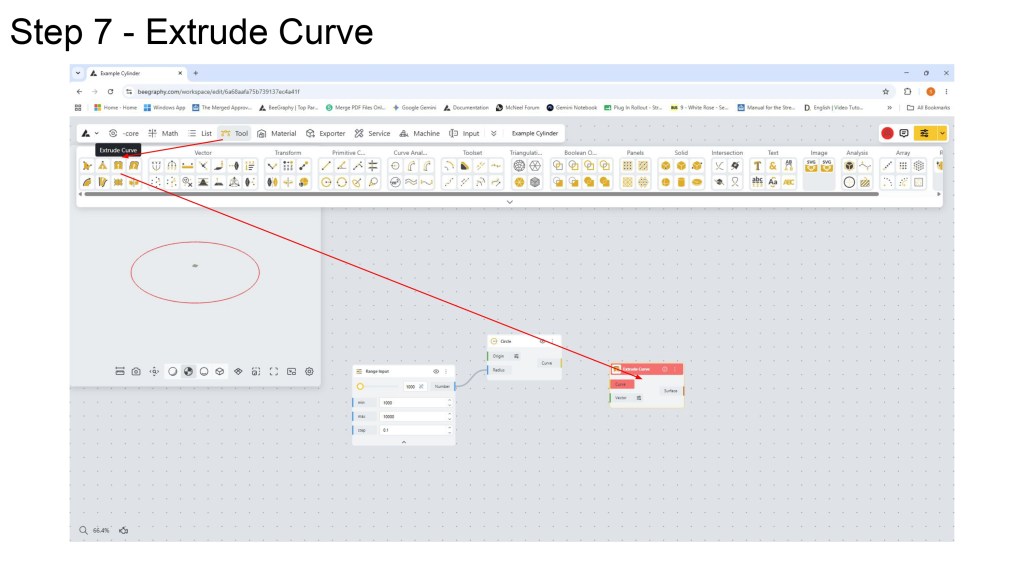
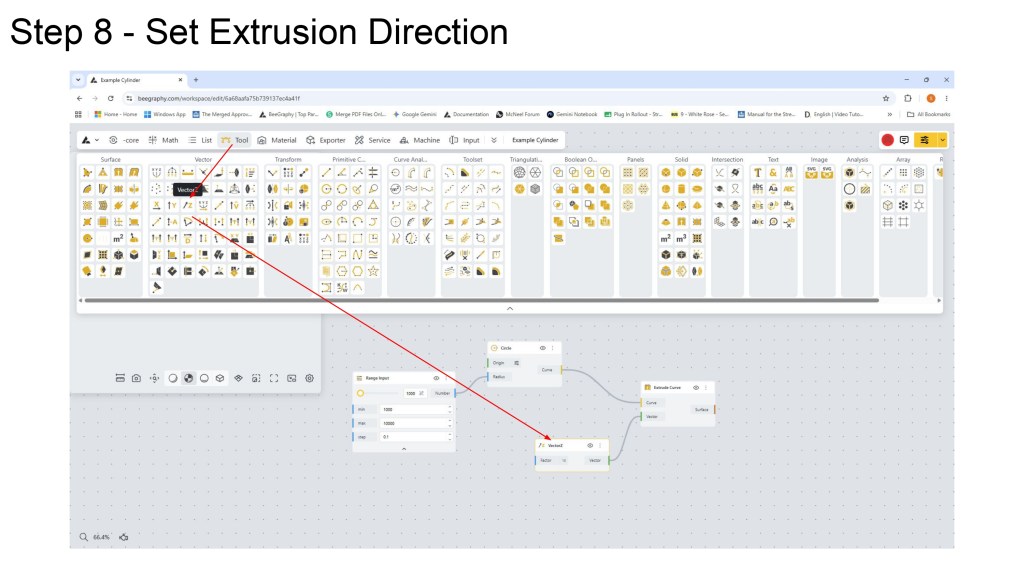
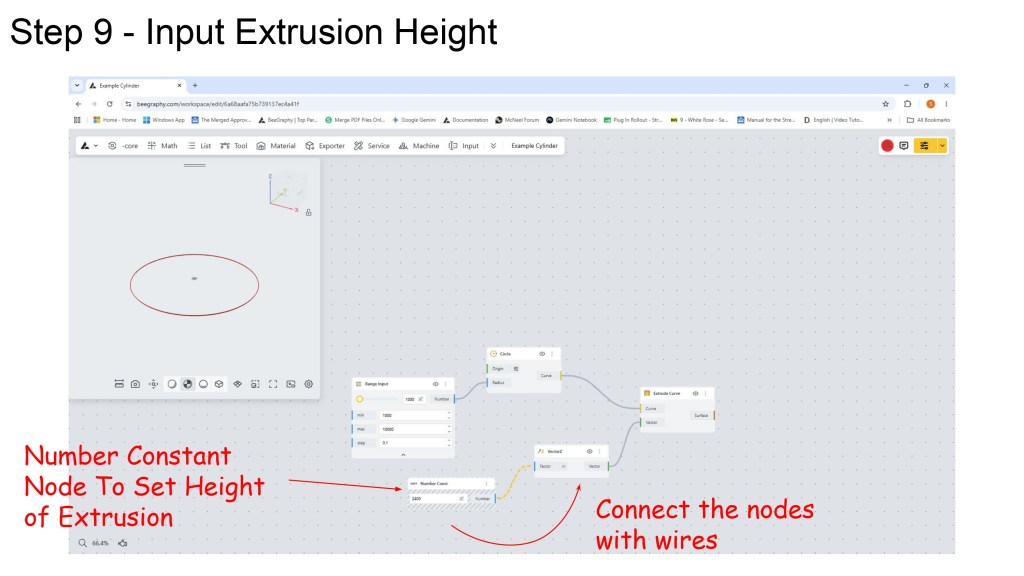
Visual Programming scirpts look typically like the image above. The script is created by creating a flow diagram. The boxes also called ‘Nodes’ are connected together by wires. The nodes perform actions and the wires control the flow of operations in the script i.e. the order in which they occur or which elements are processed by which node. As tricky as it looks now, it has been my experience that learning Visual Programming is easier than learning Text based programming like Python. Some think it’s the other way round, so best to try both.
The industry is becoming more complex and competitive learning this next layer of interacting with CAD software is becoming more vital to stay competitive.
Models are becomming larger and more complex. Some modern BIM models in the Architecture Sector can contain hundreds of thousands of elements. They are essentially becomming massive databases that can no longer be navigated and modified in a manual way. It is required to use some form of programming the software to perform multiple edits at the same time to speed up tasks that would become too slow to perform in a manual way.
Yes, Vibe Coding is one way to tackle this problem but it is more risky than writing the logic yourself in the form of a Visual Programming script or even a Python Text based code script. But what is becomming more obvious is that the traditional way of interacting with CAD software is becomming too slow in the modern age and another layer of interaction is required.
So in this post I am going to talk you through creating a really simple Visual Programming script in the Free Online tool BeeGraphy. Why BeeGraphy? Well it free to use, it works in the browser, no download required and is quickly becomming the starting point for many to learn Visual Programming for design.
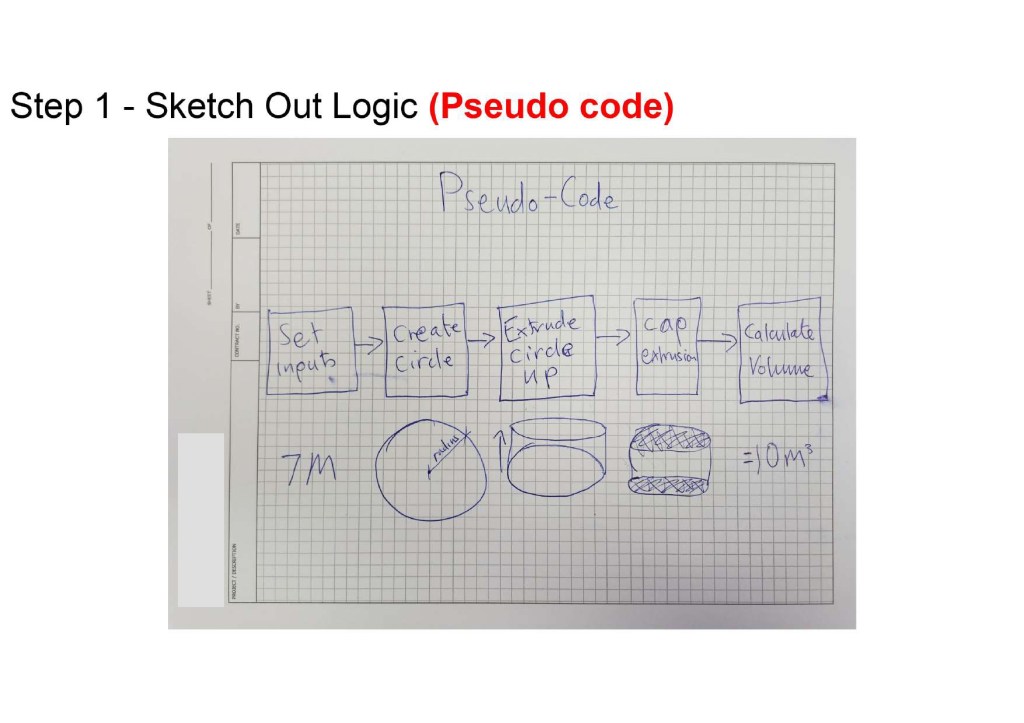
The best place to start creating your first bit of Visual Programming is write some Pseudocode.
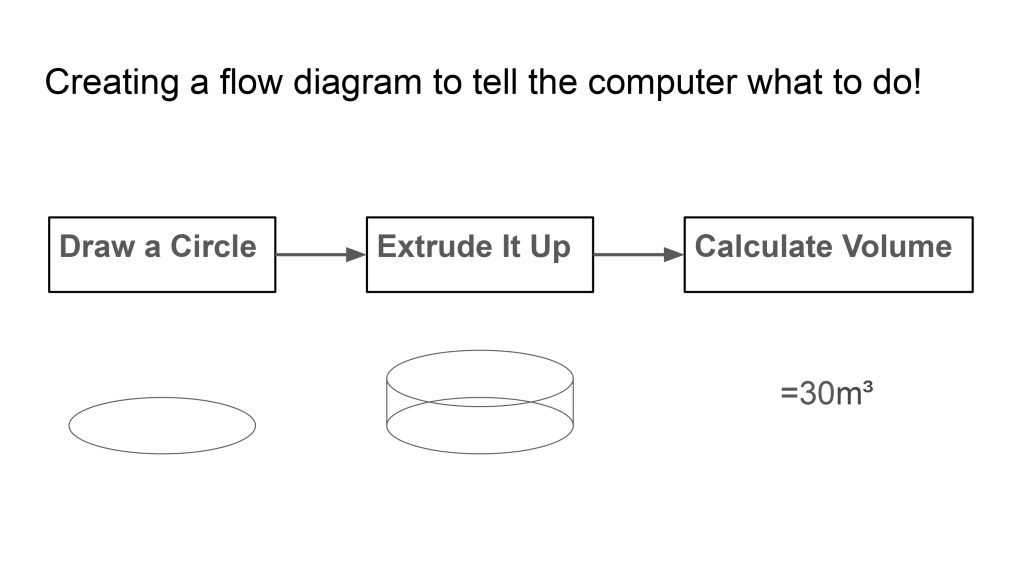
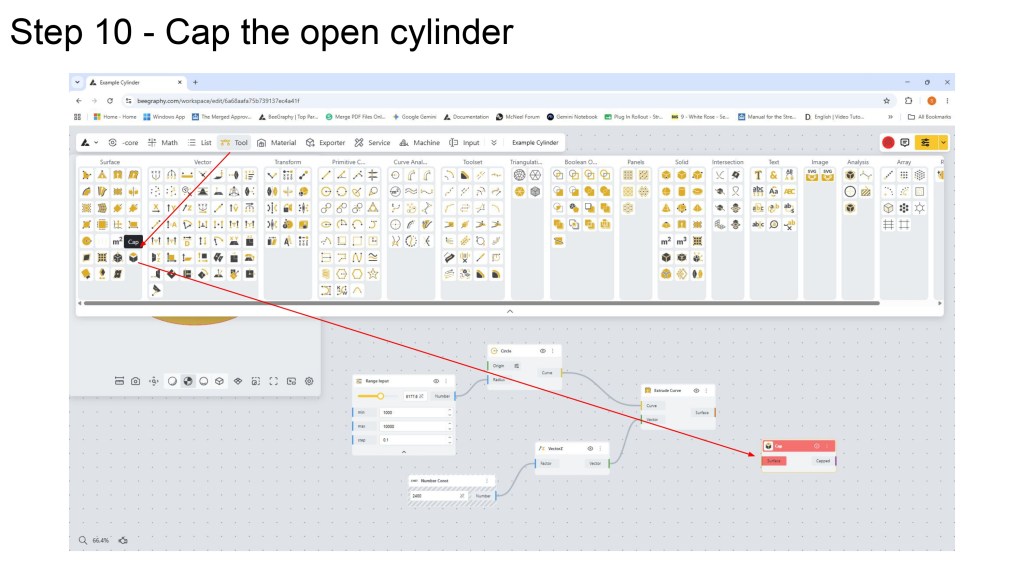
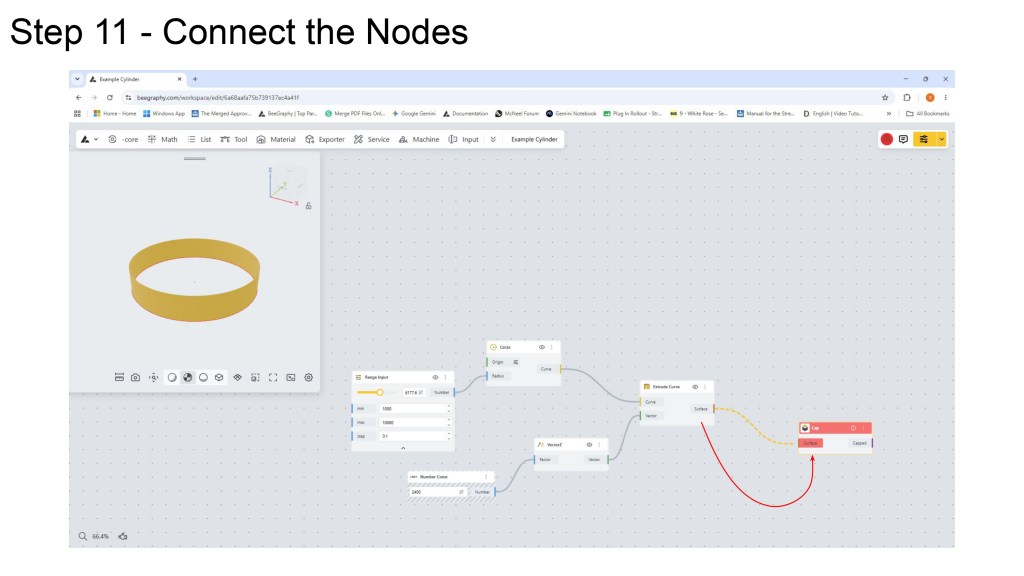
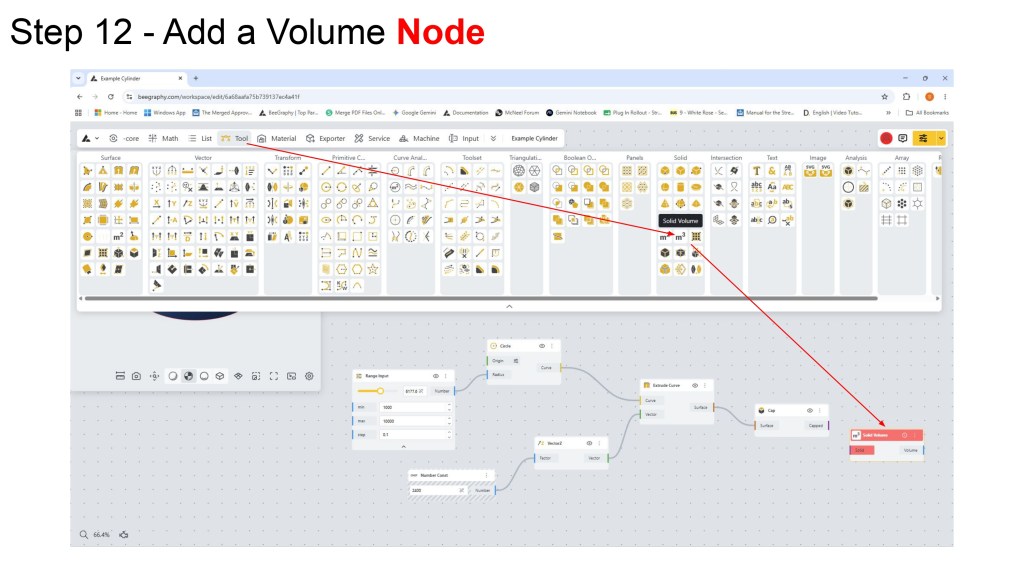
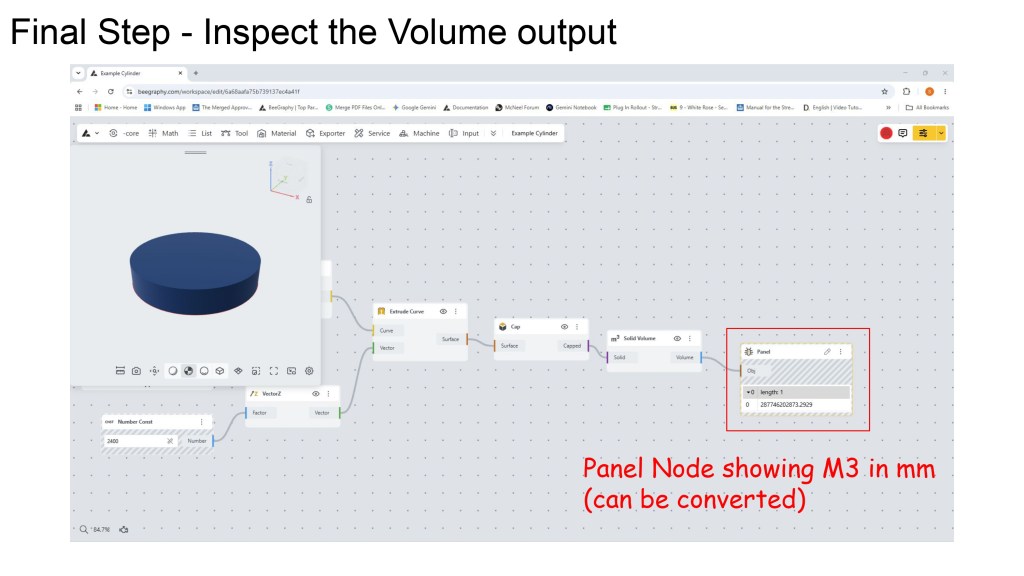
Above is a simple way to write Pseudocode for Visual Programming tools by using text in boxes and linked by arrows. As you can see above we are going to create a BeeGraphy script that calculates the volume of a cylinder. The steps are create a circle, extrude it upwards, cap the open surface and calculate it’s volume.
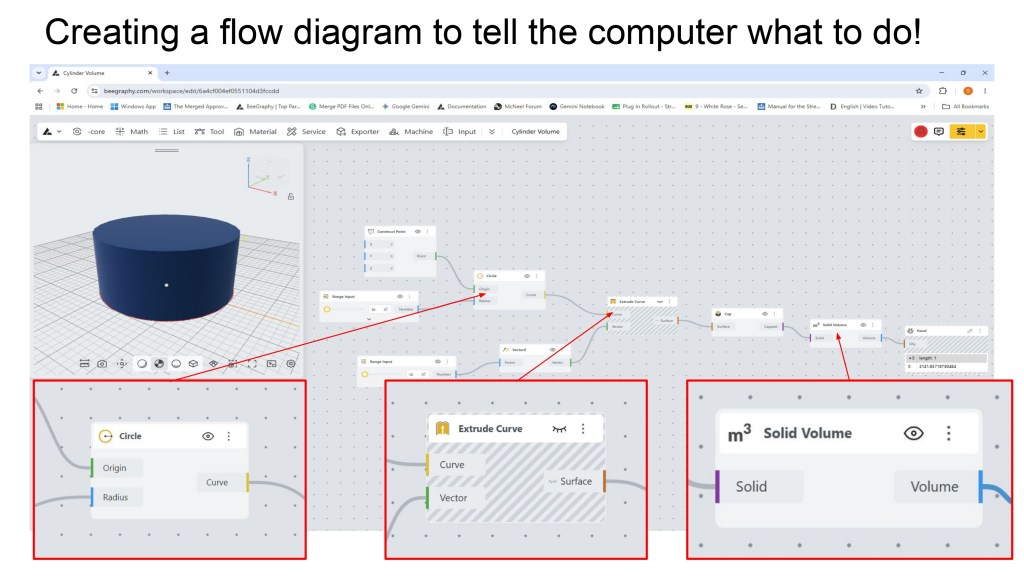
Above is what the final script will look like along with the three key nodes highlighted. Hopefully you can see it does not look too different to the pseudocode shown above. There are boxes with text in them and connected together with arrows or wires.
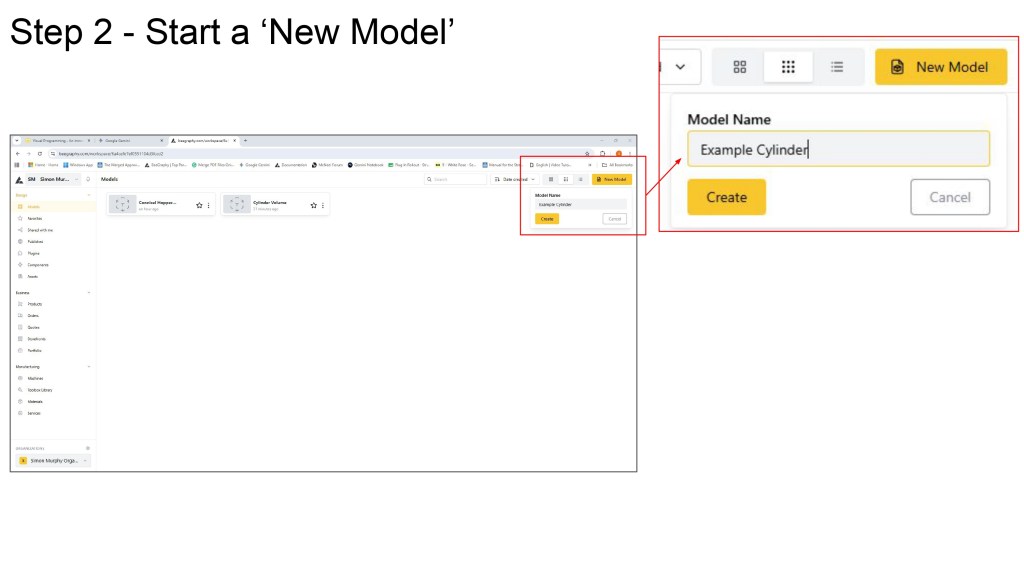
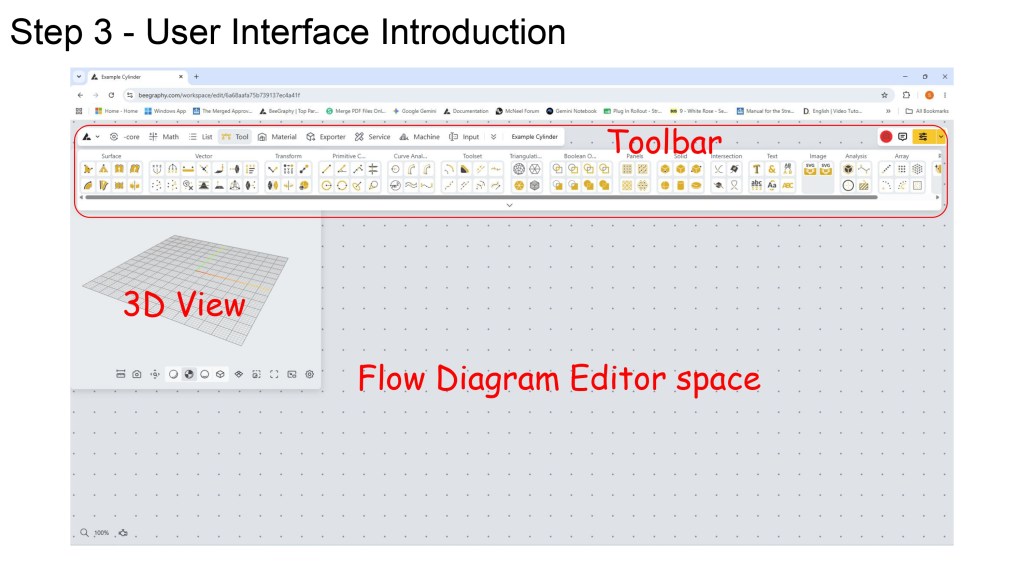
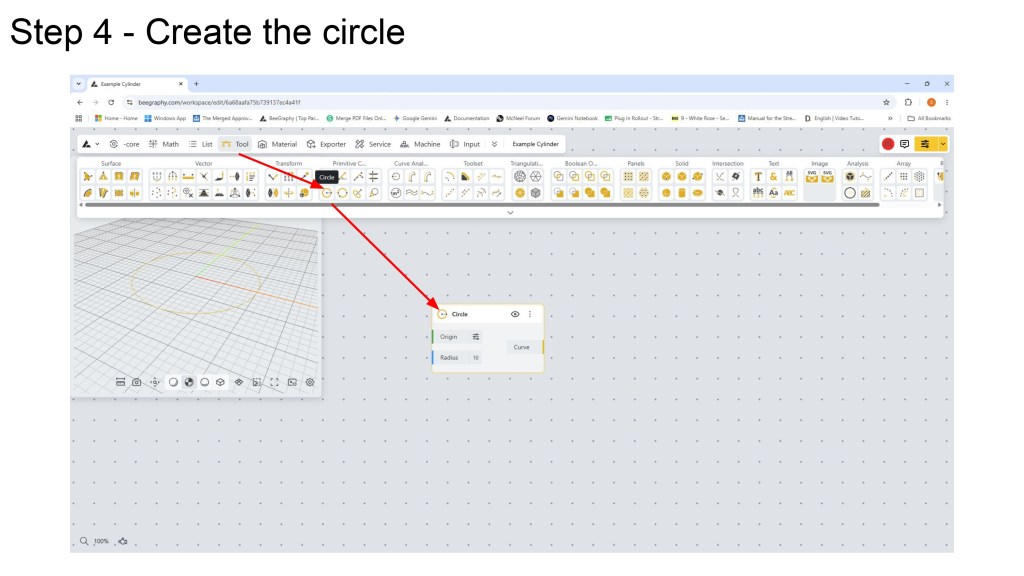
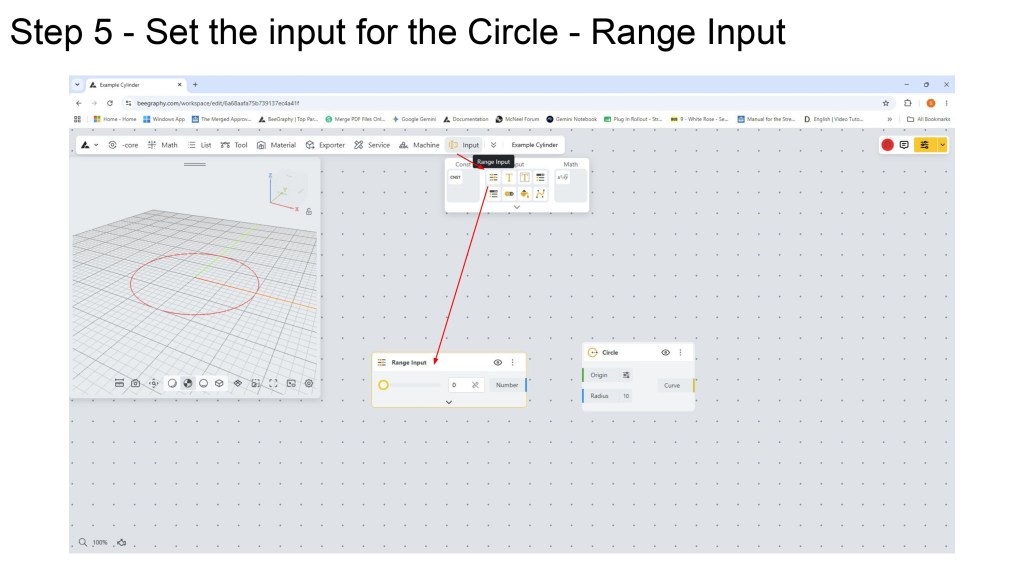
BeeGraphy is a great place to start to learn the basics of Visual Programming but there are other tools too, some linked directly into the CAD software you use. For example there is Dynamo for Revit and Grasshopper for Rhino.
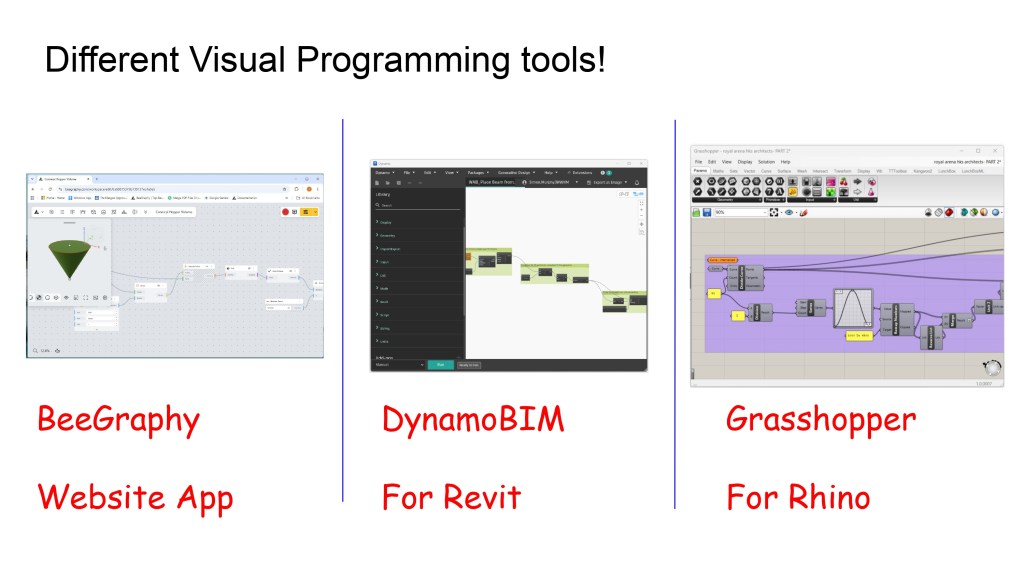
If your main tool is AutoCAD be sure to check out Rhino.Inside(AutoCAD). It allows you to use Grasshopper inside of an AutoCAD file. Grasshopper is one of the most well developed visual programming tools yet created, aside from it’s wide range of out of the box tools many developers have expanded it’s capabilities a hundred fold.
So what can Visual Programming do in the real world?
● To create complex geometry
● To Automate repetitive tasks
● To perform Geometric Calculations
● To make design changes quickly
● To share online configurators
● To generate geometry from Excel files
● Create many options quickly
● Reuse logic from project to project
● Overcome project bottlenecks
If you are interested here is where to learn more.
● For Dynamo and Grasshopper the best place to start is with their Primer
Guide Documents. These can be found online.
● If you prefer videos I suggest LinkedIn Learning.
● For learning BeeGraphy YouTube is the best Place.
● For all of these tools they have their own online forum where you can ask
questions when you get stuck.
● https://primer.dynamobim.org/
● https://www.liftarchitects.com/blog/2009/3/25/grasshopper-primer-english-editi
on
● https://beegraphy.com/blog/topic/tutorials/
Thanks for your time and good luck on your learning journey.
 SJM Studio Leeds