Not a BIM Strategy
This blog post deals with how to improve Revit workflows. BIM Startegies can sometimes be a bit vague and not deal with the real tasks faced by CAD/BIM Technicians. In this post I want to focus only on how Revit can be optimised to achieve BIM aims.
The main purpose to this Revit startegy is to improve the effiecency of Revit workers in an Engineering or Architecture company.
I will divide the post into shorter sections which discuss different aspects of the Revit startegy. The backbone of this proposed Revit strategy is shown in the below Master Diagram.
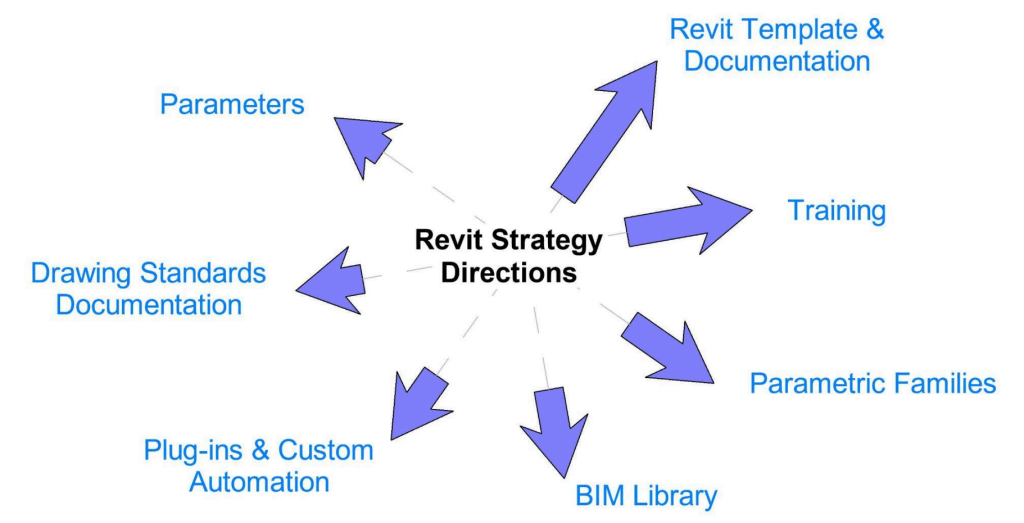
In the Master Diagram above you can see seven different directions of work that need to happen to achieve the Revit strategy aims. Each direction leads to a destination. Enagaging in work to produce a Revit Template file leads to the destination of having a Revit Template to start new projects. Producing training sessions and documents leads to having staff that are capable to produce their drawings efficiently. Likewise working on producing Parametric Families leads to the result of having a collection of Families that can be used across projects to speed up drawing production.
The size of the arrows of the Master Diagram illustrate the relative importance of each of the directions to achieving the aims of the Revit Strategy. The bigger the arrow the more important that part of the strategy is. As you can see we are implimenting a Template First Strategy. The Revit Template file we are creating is the most important document of the entire Revit Strategy. I will now discuss the different directions of the Revit Strategy individually.
- The Revit Template File
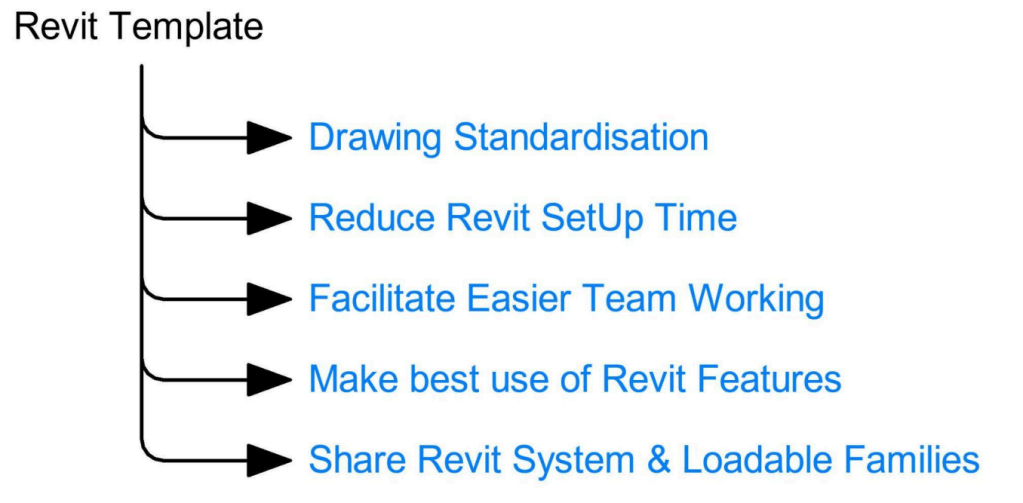
The benefits of using a Revit Template file to start new projects are numerous. They can help standardise drawing output. They can ensure all CAD/BIM Techs have access to the most up to date approved Revit Families.
Using a Template reduces Revit set up time by preloading configurations into the Template.
2. Revit Training
The second most important aspect of this Revit Strategy is providing training in Revit to CAD/BIM Technicians. Revit is a large software with lots of features. A lot of tasks can be accomplished using a limited knowledge of it’s standard toolset. However efficiency gains can be achieved by knowing to use Revit to it’s best abilities. Sharing knowledge amounst the CAD/BIM Tech Team on how to overcome limitations is key to making best use of Revit for project work.
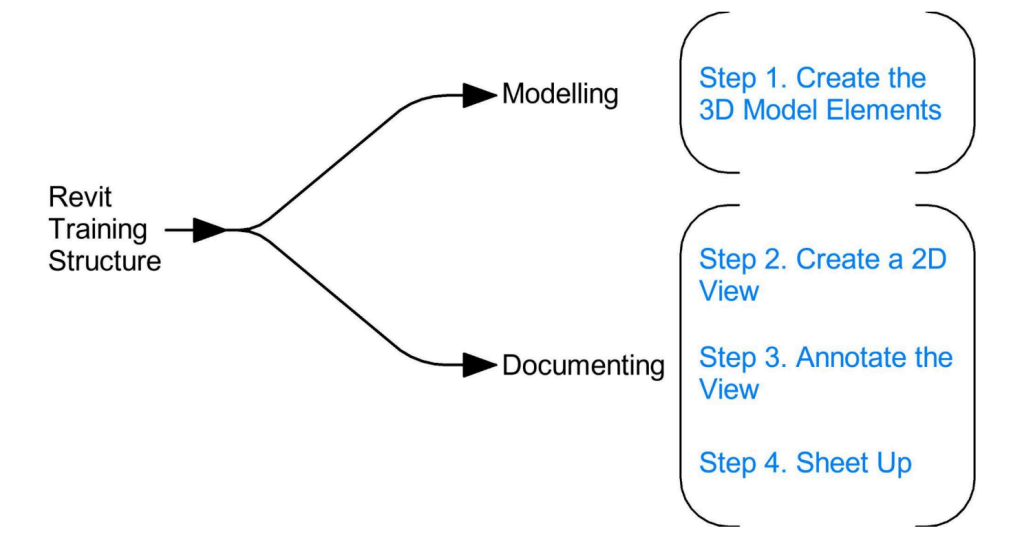
When providing Revit Training the author recommends using the below menatl framework to breakdown tasks in Revit. This is to better understand how to use it and work with Revit than fight it.
3. Parametric Families
Revit has a great feature called Parametric Families. These are project assets like doors or windows, which share constructional logic but differ in dimensional attributes. Creating a Revit Parametric Families for objects such as these that repeat on sites and across projects but only change dimensions. Is a great use of Revit features, that this strategy seeks to make use of.
4. BIM Library
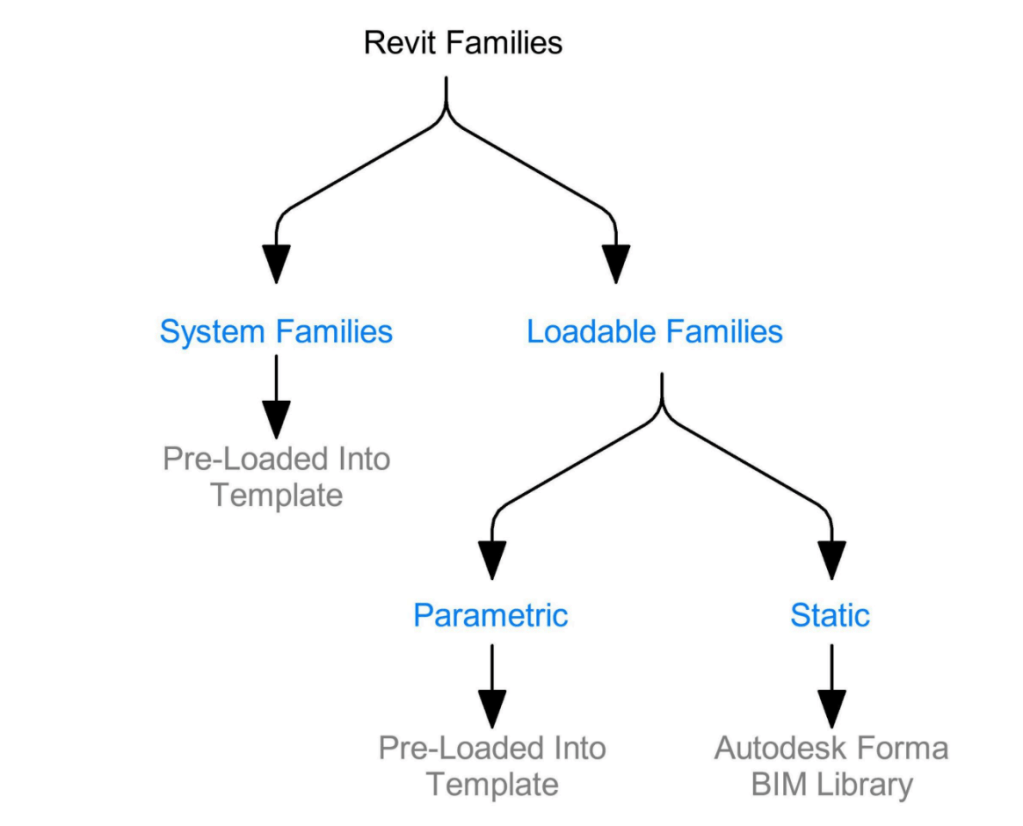
The strategy with regards the BIM Library is partly to do with where the BIM Families are saved and how they are named and whether to use Autodesk Content Catalog. The basics of the Revit Strategy with regards the BIM Library is show in the image below.
5. Plugins and Custom Automation
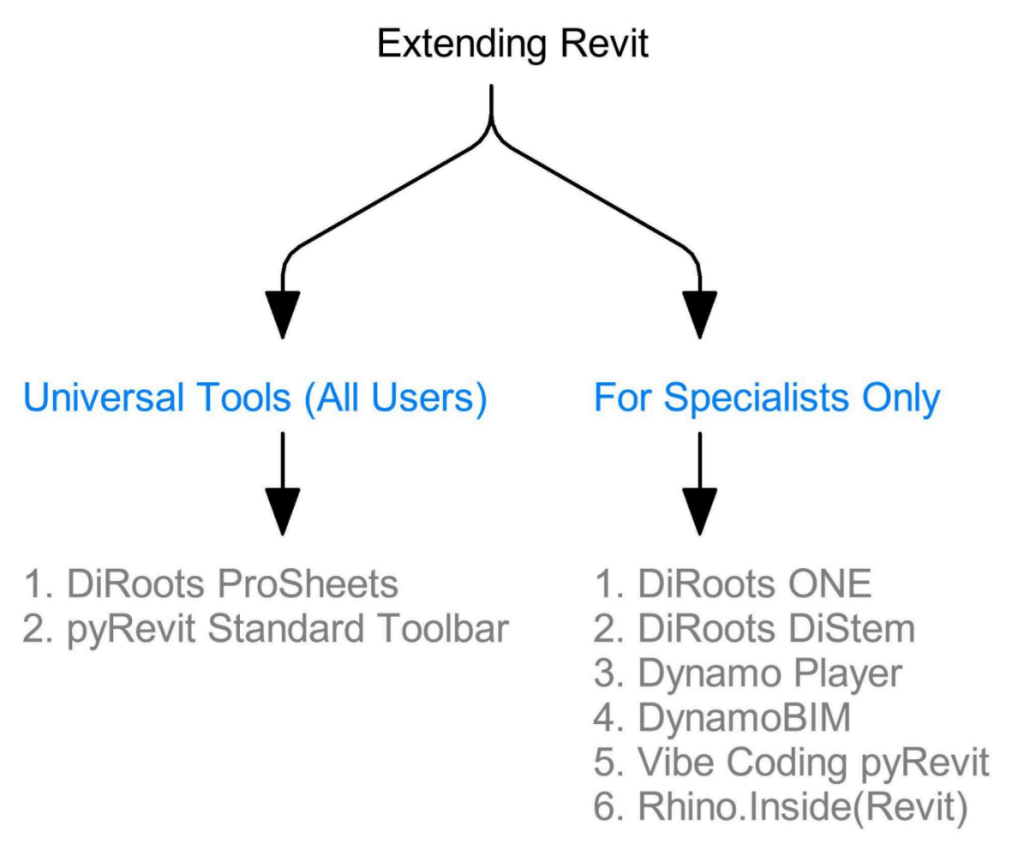
The standard tools in Revit can generally on a project provide all the functionality required. But in rare cases a specific task on a project requires a plugin. This could be the built in plugin Dynamo or a plugin from a different company. The other aspect of plugins is they can speed up tasks on projects. To reiterate Plugins and Custom Automation can overcome problems Revit itself can’t achieve and they can also improve the effieciency of completing tasks. These two benefits of Plugins and Custom Automation mean they should be used and will bring benefits.
However this leads to the problem that Plugins and Custom Automation require additional traning for CAD/BIM Technicians to learn how to use them. The solution to this problem is to use a ‘by specialist’ strategy. This means to say on the rare occasions when a plugin or custom automation is required then they should be performed by a specialist user that has undertaken the training. This avoids training all staff on plugins that they will only need to use on rare occasions.
There are however a few plugins that are easy to learn and can be learnt by the entire team to lead to Team wide effiency gains. See image below of the strategy proposed.
6. Drawing Standards Guide Document
This strategy proposes the creation of a document describing the drawings standards of the company involved. The purpose of this documentation is to guide the CAD/BIM Tech to be able to produce a good drawing without guesswork. This will speed up drawing production and standardise drawing output for the company.
7. Revit Parameters
Parameters are everywhere in Revit in Families and in Element instances. In this final section of the Revit Strategy which deals with Parameters, we mean parameters of the type like COBie Parameters and Project Assest Metadata parameters.
A Revit project is a 3D Database of information and parameters are required in Revit to store and acces metadata about objects being built and maintained. This is the last part of Revit Strategy not because it is least important but because if the other sections of the strategy have been implemented correctly this section should be staright forward to implement using a Template First approach.
Conclusion
The purpose of this blog post is to highlight that Revit is most used tool for acheiving BIM on projects and thus needs it’s own strategy on how to impliment it in a company to achieve BIM outcomes.
Please reach out on the contact page for more information.

