Revit is a ‘Building Information Model’ (BIM) software created by Autodesk. It probably is the most widely used BIM software worldwide, though I will show you some other similar software being used in the AEC industry. Revit has tools for creating Architectural, Structural and MEP elements so it used by both Architects and Structural engineers.
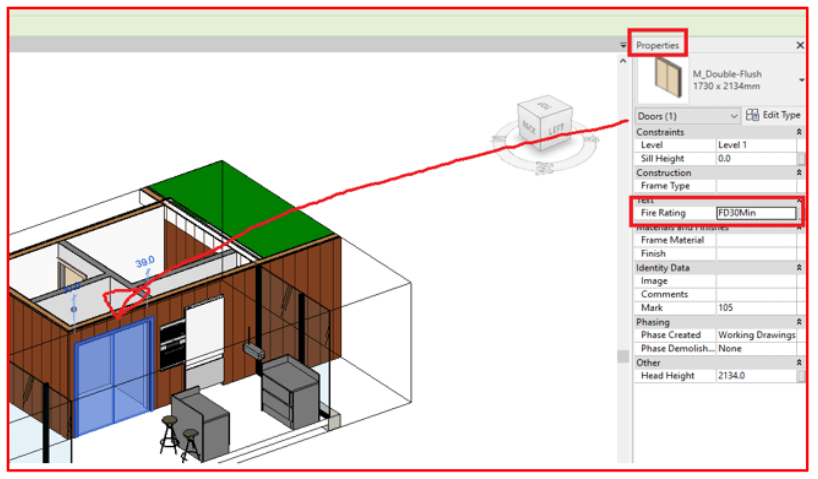
A key idea to understand about BIM is it is a database of building elements where 3D models are combined with text or nummerical data about the element. Such as a 3D model of a door combined with information about the fire rating of that door.
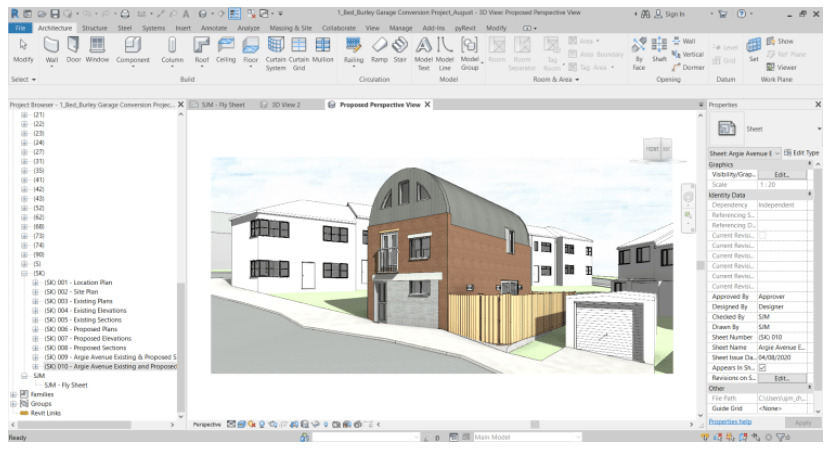
I will start this introduction to Revit by showing you common elements of the Revit software ‘User Interface’. Below is a picture of the ‘User Interface’. The key elements of it are the panel to navigate throught the 2D and 3D views and the tabs at the top that allow you to create the various building elements, such as walls or doors.

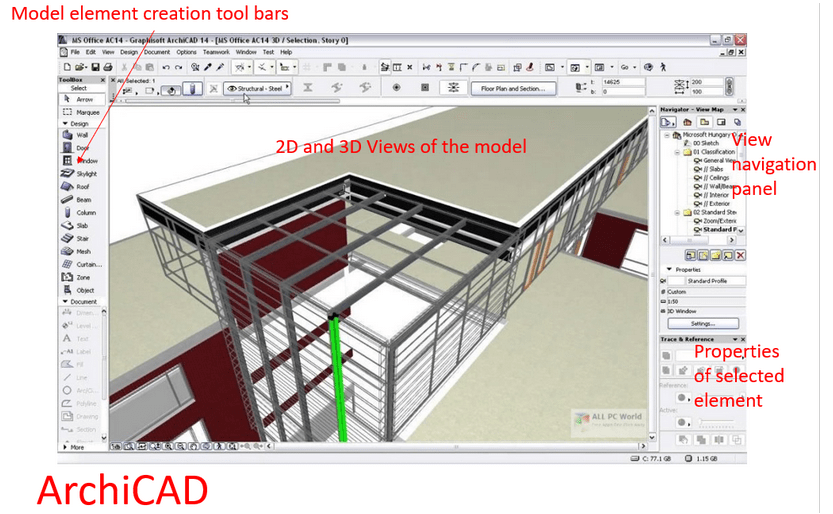
I will now show you how these parts of the Revit ‘User Interface’ are common or shared with other BIM software. In the first image we show the ArchiCAD ‘User Interface’ (UI), it has it’s own equivalent versions of all the Revit UI such as element creation tools and view navigation panel.
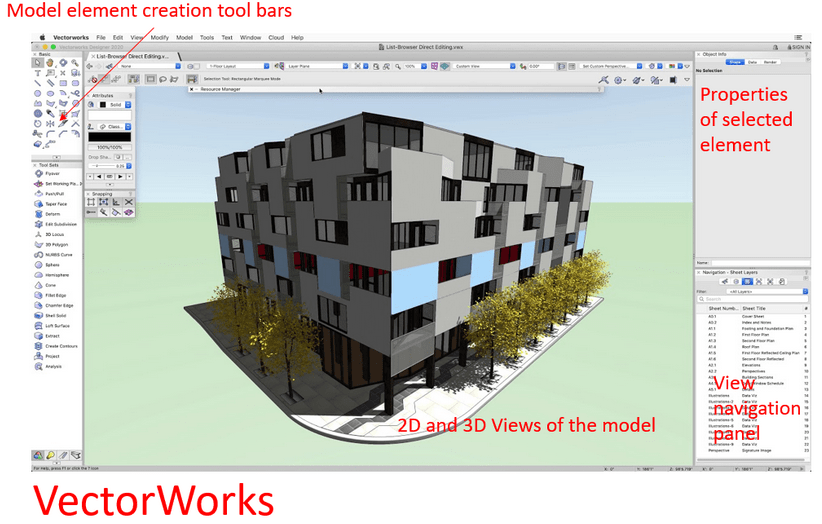
The next image shows the UI of Vectorworks, this software can be used for both 2D drawings and to create 3D BIM models.
The final BIM software produced by a large software company that I am aware of is Open Buildings Designer made by Bently Ltd. It is similar to their Microstation software and it has similar parts of it’s UI such as the 2D and 3D views in the middle of the screen.

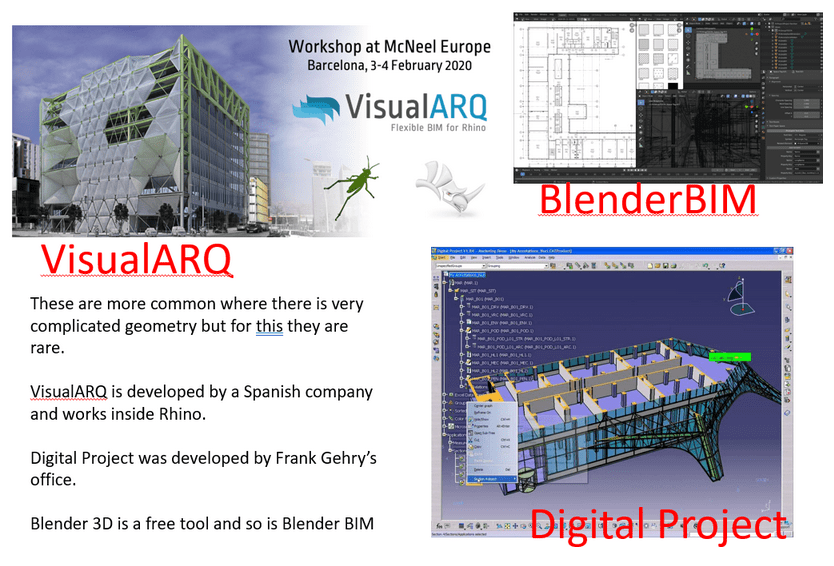
There are also some less common BIM software being used in the industry such as VisualARQ, Digital Project and Blender Open BIM.
3D and 2D Relationship
A key idea in BIM software is the relationship between the 3D BIM Model and the automatically generated 2D drawings/views. You should always think of getting the 3D model correct first then the 2D drawing will be automatically created correctly. In the pitcure below you can see a pyramid in the 3D view and a 2D section cut through it on the right.

4 Types of tasks and tool groups
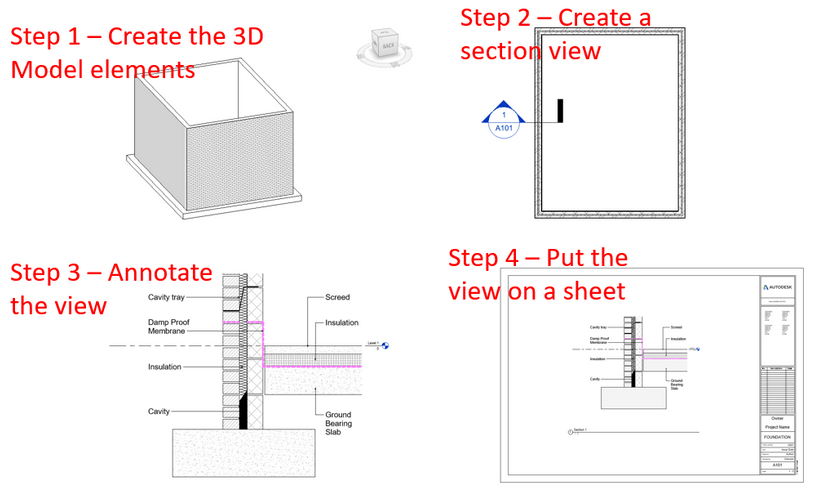
When I teach Revit I use the below method to help students understand how work with BIM software. I group tasks an tools into 4 separate groups. In Revit you are either doing one of these four things: 1.Creating the 3D model, 2.Creating a view of that 3D model such as drawing a section line 3.Annotating a 2D view with text or dimensions 4.Arranging views on sheets or adding revisions to sheets. All activities you do in Revit fit into one of these four groups of tools and tasks. I structure my Revit classes around this theory to help students get to grips with the high number of tools and commands in Revit for accomplashing various tasks.
Revit Phases
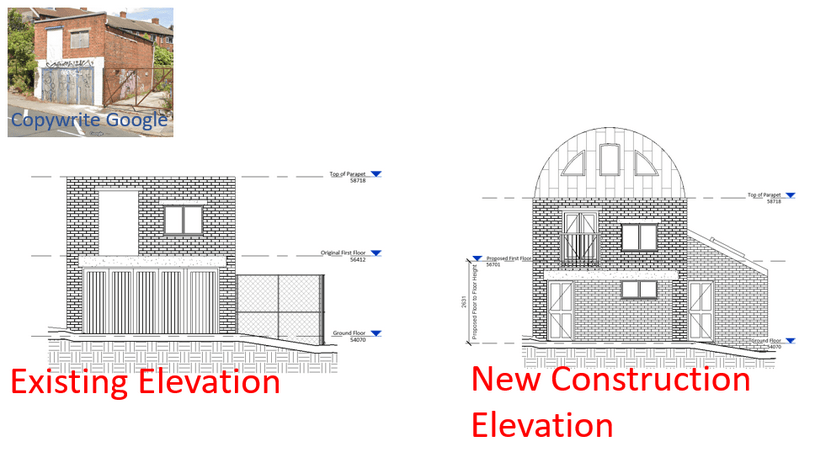
Revit has the ability to asign phases to building elements. In the picture you see below there is on the left an elevation of the existing phase elements of the building. On the right the view has been changed to show the new construction phase. So existing elements being kept are shown, those not being kept not shown and new construction elements created such as the roof shown. If you are working with renovating existing buildings then you should definetly learn about Revit phases.
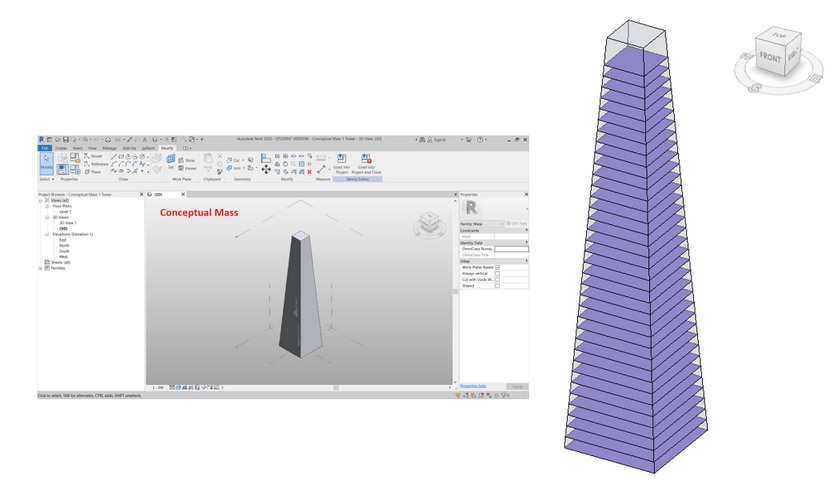
Conceptual Mass Modelling Environment
The ability to create Masses in Revit is a fun feature which is useful in the conceptual design stage of a project. Though I have not used them very much past the design concept stage.
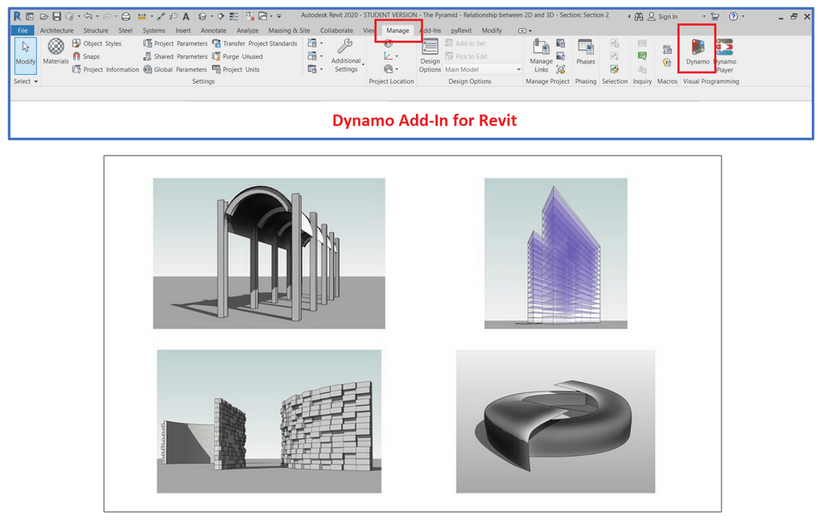
DynamoBIM
DynamoBIM is a built in Visual Programming tool that can really expand Revit abilities. I have another article about this tool but any curious Revit user should be aware of this addin tool.
Rhino.Inside (Revit)
One tool you really should be learning about if you are just starting your career in Architecture is Rhino.Inside(Revit). It can allow to create any design you like inside Revit.
Real Life Project Example
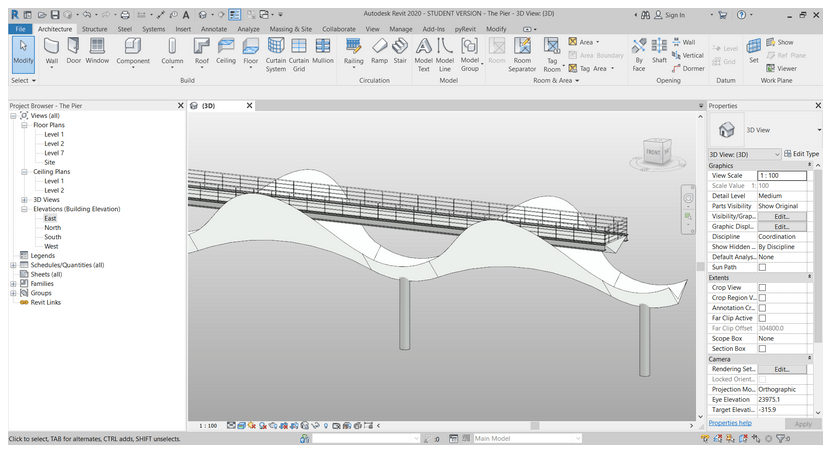
Below is an example of a real life Revit project, showing it is possible to create interesting buildings just using Revit alone.

Revit Learning Resources Online Links
https://www.linkedin.com/learning/
https://www.thinkparametric.com/
https://youtube.com/@AussieBIMGuru?si=RyfdbaCm91jCwo4T
I would also recommend your local Techinal College if you prefer an in-person course.
Good Luck! On your Revit learning Journey.
 SJM Studio Leeds