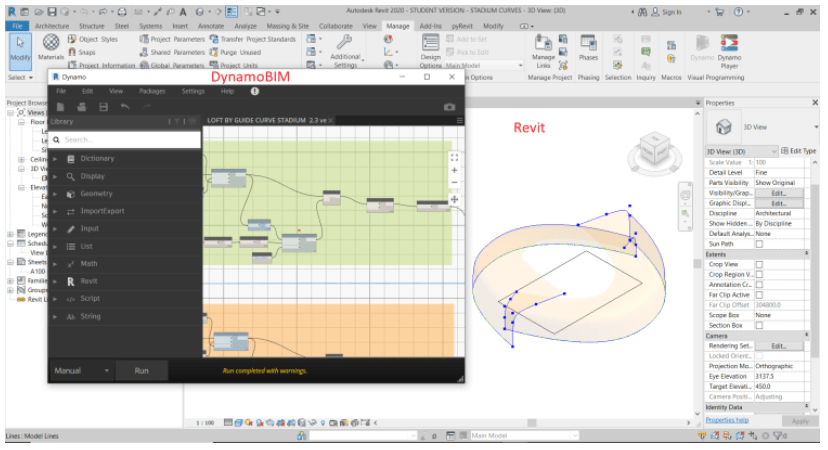
DynamoBIM is a Visual Programming langauge created by Autodesk that works inside various Autodesk software including Revit. It allows you to create complex geometry or automate tasks. It was originally created by Ian Keogh as an open source project to give Revit the abilities like those of Grasshopper3D. It is now developed in-house by Autodesk.
In this article I will introduce the high level concepts you need to understand to start learning DynamoBIM for Revit, then at the end I shall attach links to online courses where you can learn it.
What is DynamoBIM?
- Is it a parametric design tool?
- Is it a programming language?
- Is it an algorithmic/computational design tool?
Yes it is all 3!
1.What is parametric modelling? I will explain it using the example of a parametric model of a venice foot bridge. The shape of the bridge is controlled by 3 different parameters. The height, width and Landing length parameter. If the value of one of these parameters changes then the entire shape of the bridge alters.

This graph below shows how when you change a single parameter the entire shape of the bridge changes. On the left you can see as the height of the arch increases then the length of the landing gets longer. Likewise if the width of the bridge increases then the length of the landing part gets shorter.

This video shows each parameter being modeifed individually.
2.Is it a programming language? Yes it is a visual programming language, most programming languages are text based and thus harder to learn for visual people in the Architecture industry. Dynamo is more visual and you create the programme by wiring boxes together with wires. Where data flows from the lefthand side of the screen to the right. It is musch easier to learn for Architects than text based code such as Python or C#.
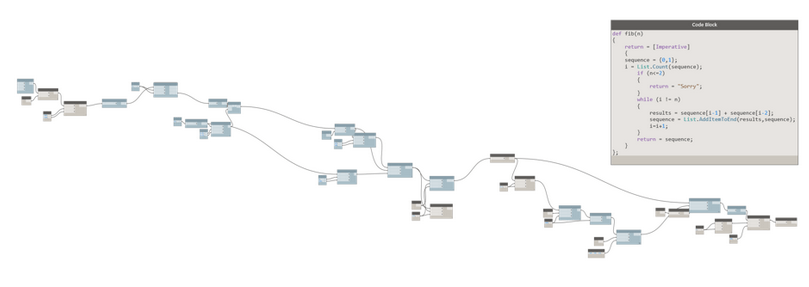
In this video I show how Revit can be programmed to automatically elements using the DynamoBIM visual programming language.
3.Is it an algorithmic design tool? Yes it can used to do algorithmic / computational design. In this example I show an algorthim can control the alignment of solar panels on a collection of differently orientated flat roof houses.
An introduction to DynamoBIM User Inferface and How to build scripts.
In the picture below I have shown the major parts of the DynamoBIM user interface.
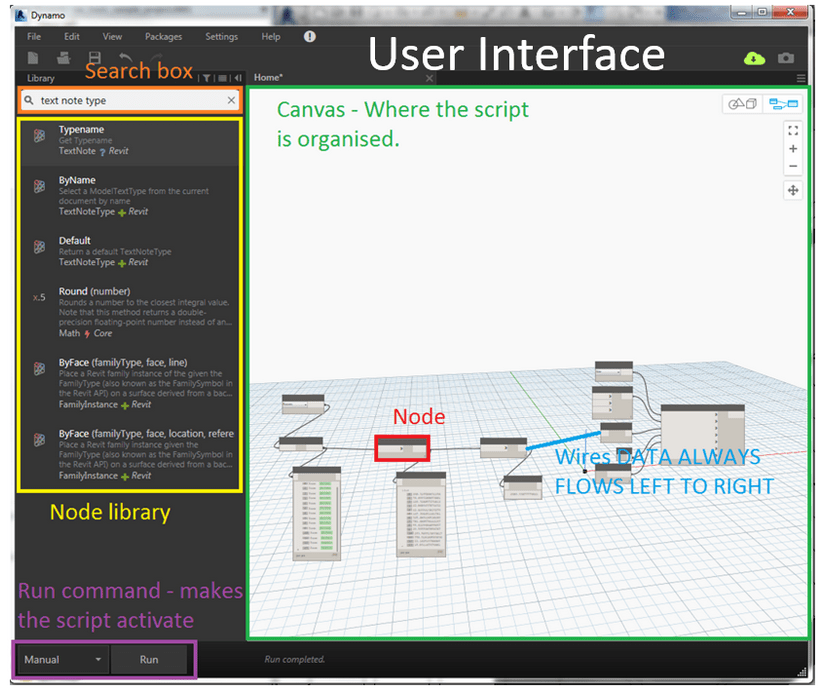
In the follwoing image I show the main parts of a Dynamo script i.e. the nodes(boxes) and the wires connecting them.

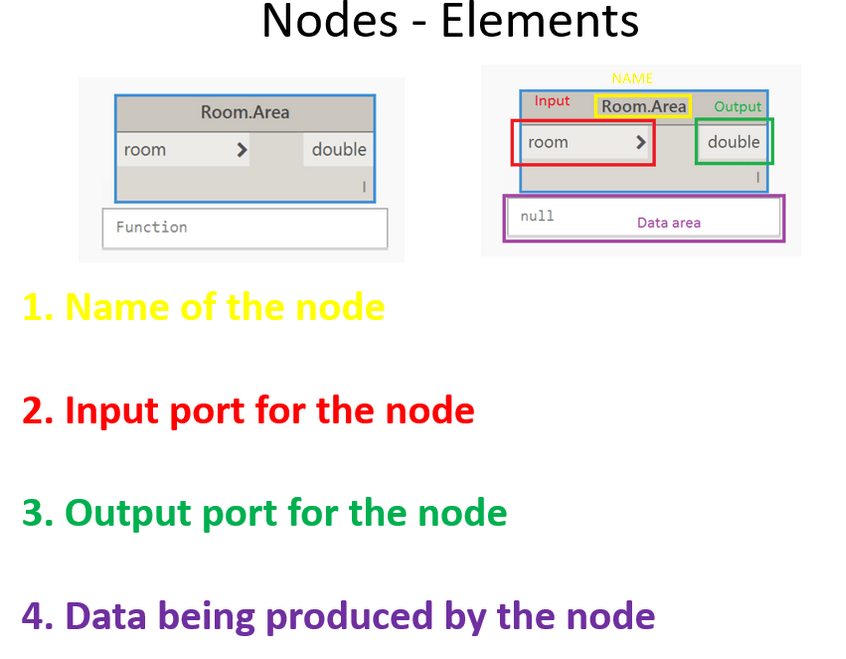
Below I break down the component parts of the nodes.
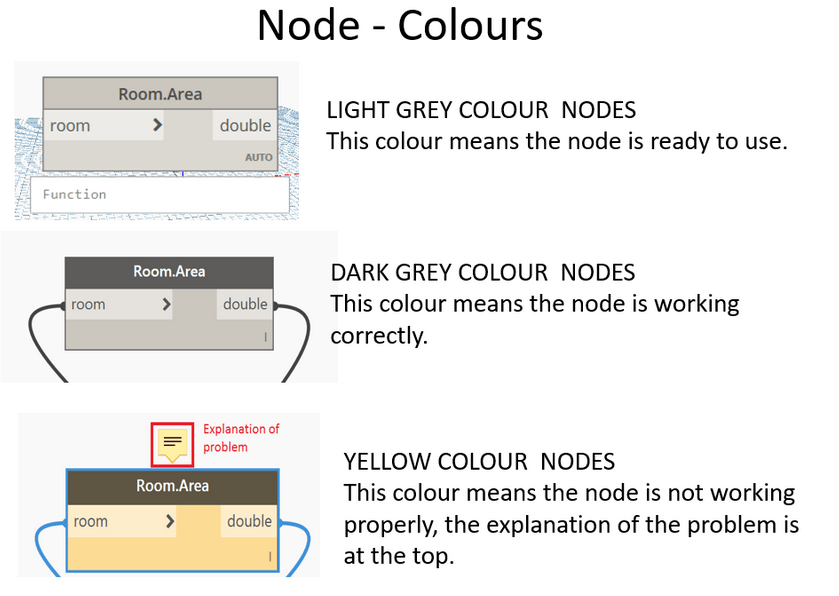
The colours of the node boxes tell you information about how your script is functioning.
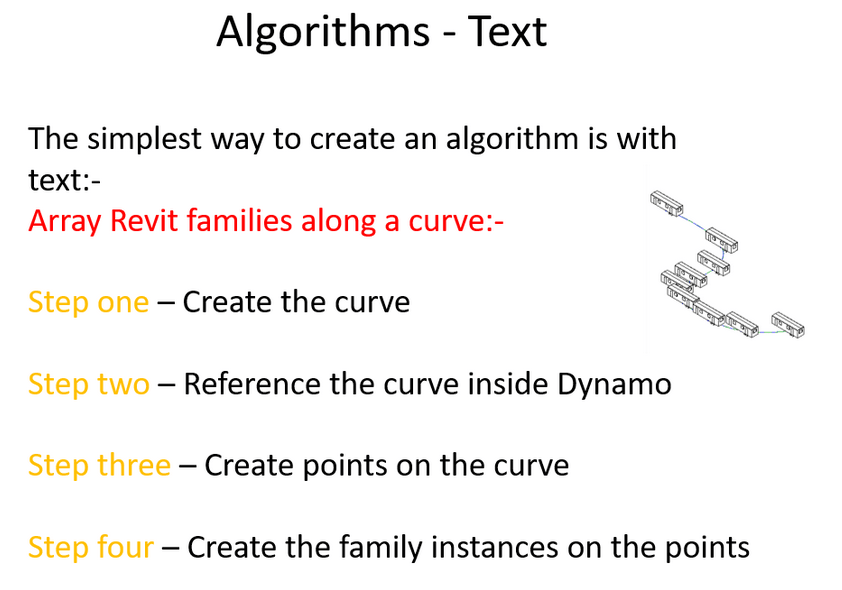
In DynamoBIM you create geometry or automate a task by writing an algorthim to do this. The simplest way to write an algorithm is in plain english as seen below.
The next easiest way to create an algorithm is by creating a flow diagram.
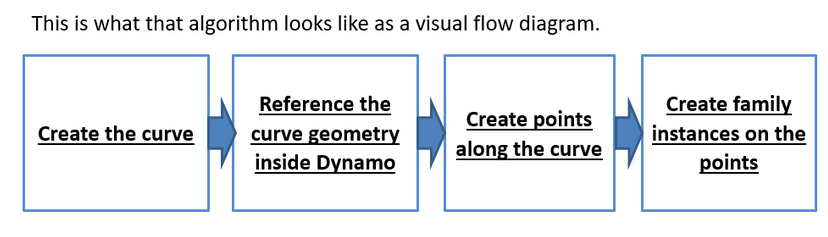
This flow diagram begins to look closer to what a real Dynamo Script looks like. Here below I have collected together the dynamo nodes that will perform this action.

These are the four steps in Dynamo to create this script.
Step 1 – Draw a curve inside Revit
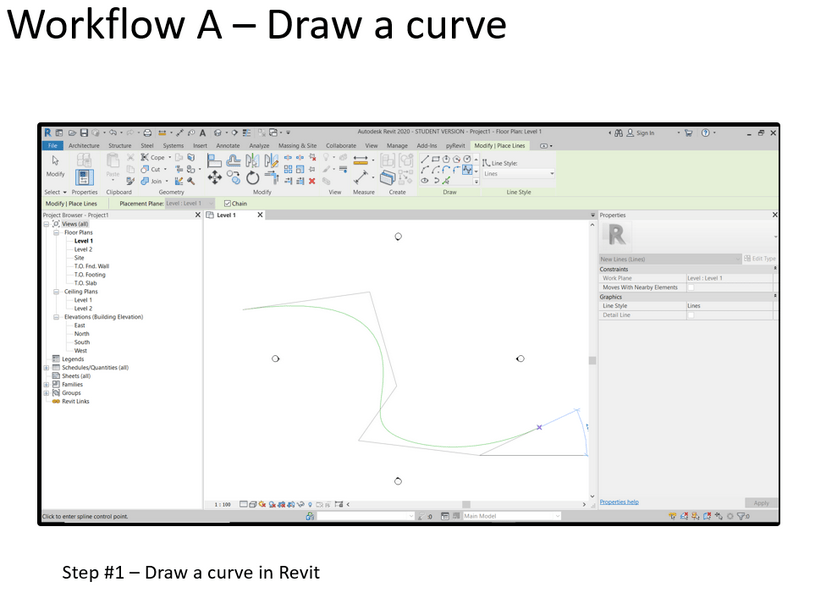
Step 2 – Use a ‘select model element’ node and a ‘element geometry’ node to get the curve from Revit inside Dynamo.
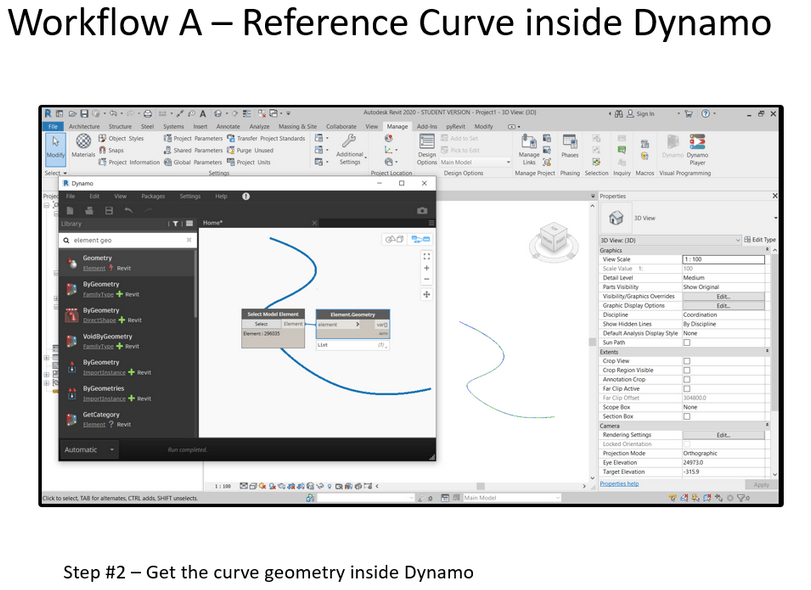
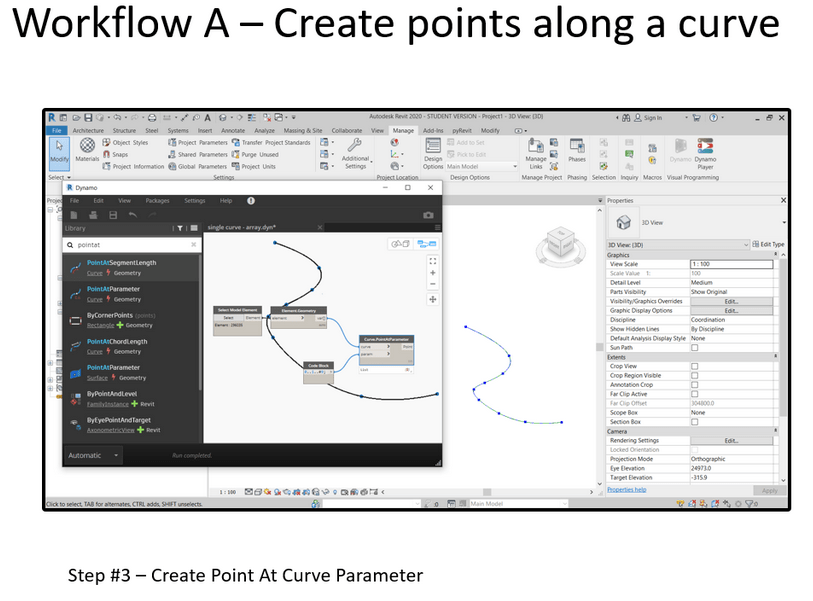
Step 3 – Use a ‘curve.point at parameter node’ and code block list of numbers to create a series of points along the curvy line.
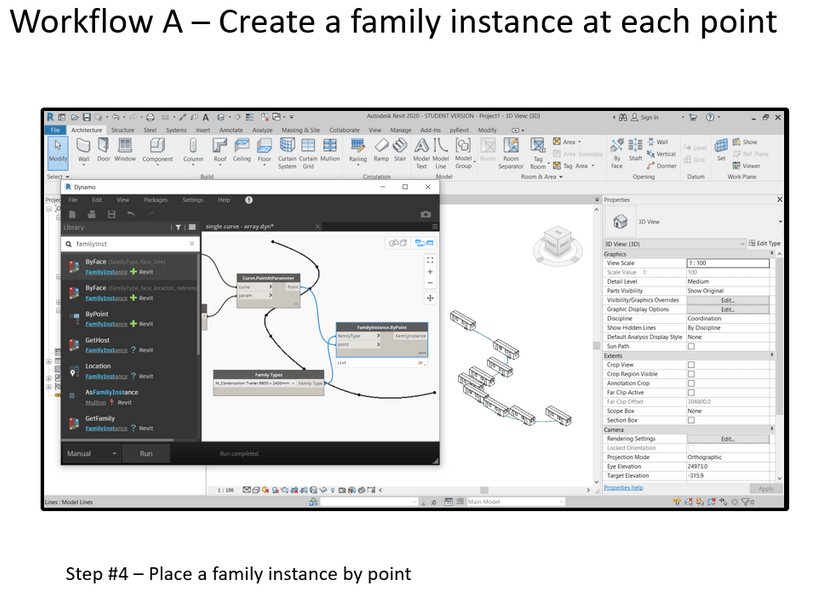
Step 4 – Next use a ‘Family Instance . By Point’ node and a family types node to create a family placed at each point on the curve.
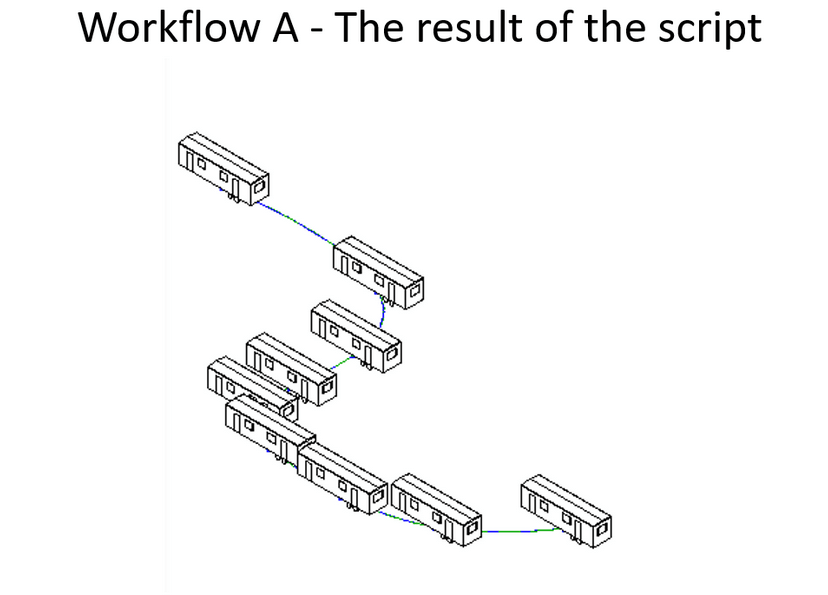
Result of the script. Inside Revit revit you should see a series of families that have been placed along the original curvy line.
Packages – a key piece of the puzzle
•Nodes perform actions they are like commands in Revit or AutoCAD
•Packages are collections of extra nodes.
•There two types of nodes;
•1. OOTB (Out of the box) nodes
•2. Package nodes
•Packages are very useful
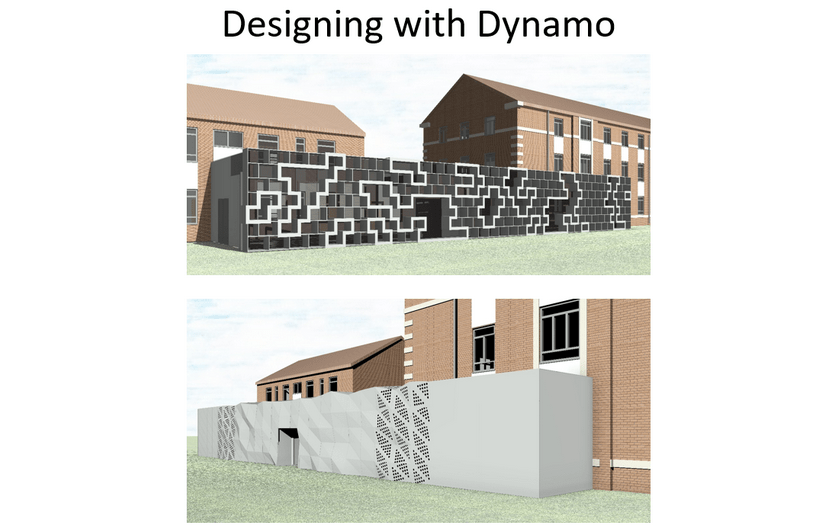
Examples of designs made in DynamoBIM
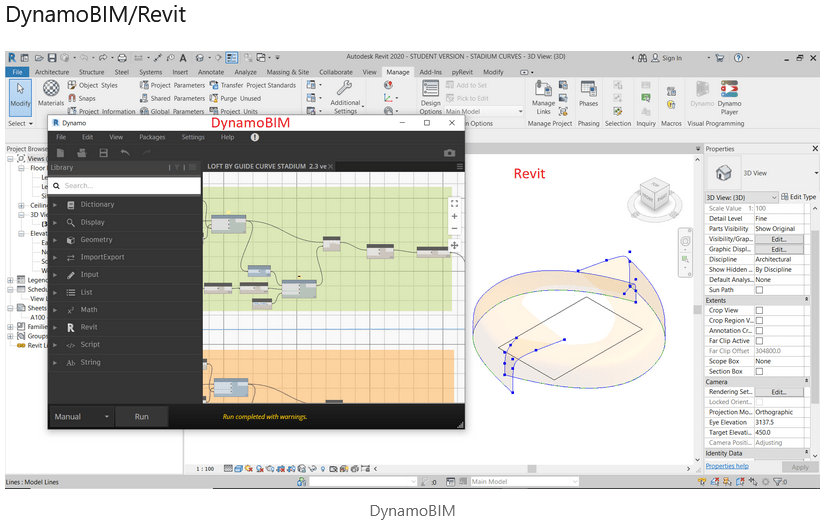
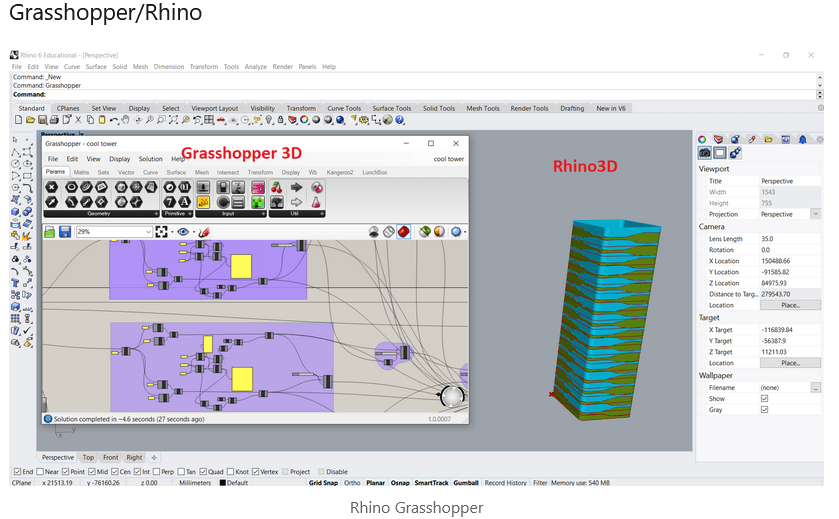
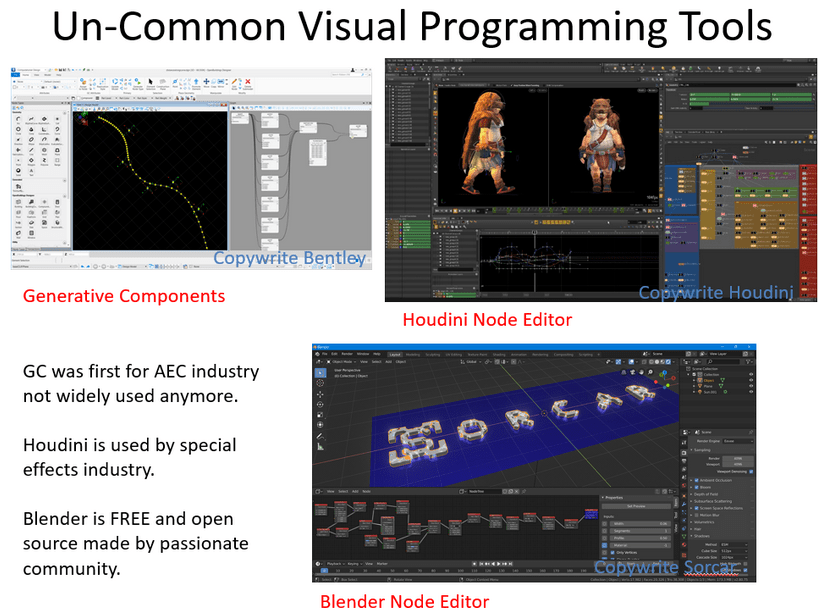
Commonly used Visual Programming Tools in the AEC industry
DynamoBIM/Revit
Grasshopper/Rhino
Marionette/Vectorworks

Places to Visual Programming Online
https://www.linkedin.com/learning/
https://www.udemy.com/topic/dynamo-bim/
https://www.thinkparametric.com/
Thanks for reading, I hope it was some help!
 SJM Studio Leeds